
Finding the best IPTV app for Firestick can make a massive difference in your streaming experience. Even if you have a good IPTV provider, the wrong app can still cause buffering, freezing, crashing, login issues, or poor navigation.
On the other hand, a fast and stable IPTV app can improve playback quality, load channels faster, handle large playlists smoothly, and make watching live TV far more enjoyable.
In this guide, we’ll look at the best IPTV apps for Firestick, explain their strengths and weaknesses, and help you choose the right app based on your streaming needs.
Why Choosing the Right IPTV App Matters
Many IPTV users focus only on the provider and ignore the app itself. However, the IPTV app is responsible for:
- Loading channels
- Handling playlists
- Managing EPG data
- Playing video streams smoothly
- Organizing categories and favorites
A poorly optimized IPTV app can create problems even if your provider is stable.
This is especially important on Firestick devices because Fire TV hardware has limited resources compared to full computers or premium streaming boxes.
What Makes a Good IPTV App for Firestick?
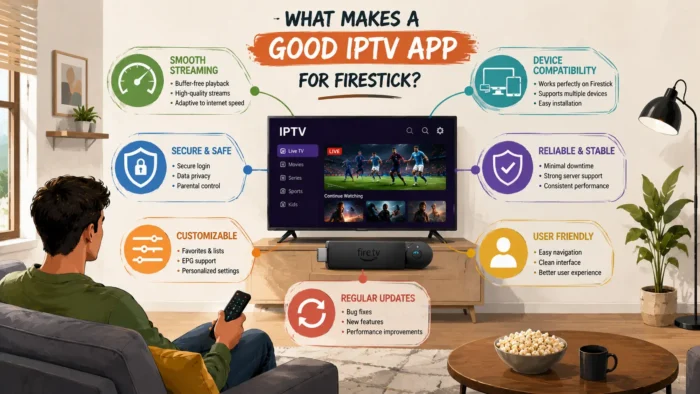
The best IPTV apps usually share several important qualities:
- Fast channel loading
- Stable playback
- Minimal buffering
- Simple interface
- EPG support
- Xtream Codes compatibility
- Low resource usage
- Reliable updates
Apps that combine these features tend to perform better on Firestick devices.
Best IPTV Apps for Firestick
TiviMate
TiviMate is widely considered one of the best IPTV apps for Firestick and Android TV devices. It is known for its fast performance, clean interface, and excellent live TV experience.
Why TiviMate Is Popular
- Fast navigation
- Excellent EPG support
- Modern TV-style interface
- Smooth playback
- Multiple playlist support
The app feels very polished compared to many IPTV players. Channels load quickly, categories are easy to navigate, and playback is generally stable even with large playlists. Dont forget to checkout our full Tivimate guide.
Best Features
- Favorites management
- Catch-up support
- Advanced playback controls
- Custom channel groups
- Scheduled recordings
Things to Know
Some advanced features require the premium version. However, even the free version performs very well for basic IPTV streaming.
TiviMate is especially popular among users who watch live sports and large channel lists because of its speed and organization features.
IPTV Smarters
IPTV Smarters is one of the most widely used IPTV apps globally. Many IPTV providers recommend it because it supports multiple login methods and works across many devices.
Main Advantages
- Xtream Codes support
- M3U playlist support
- VOD and series support
- Simple setup process
- User-friendly interface
The app works well for users who want an easy setup experience without dealing with complicated settings. You can have a look on our complete guide for IPTV Smarters Pro.
Why Many Users Like IPTV Smarters
The interface is beginner-friendly and easy to understand. Most users can log in within minutes using either Xtream Codes credentials or playlist URLs.
It also supports multiple profiles and playlist management, which makes it useful for households with different viewing preferences.
Potential Downsides
- Can feel heavy on older Firesticks
- Sometimes slower with huge playlists
- Occasional bugs after updates
Despite these issues, IPTV Smarters remains one of the safest and most commonly used IPTV apps.
XCIPTV
XCIPTV is another strong option for Firestick users who want stable IPTV playback with a lightweight feel.
Why XCIPTV Stands Out
- Fast performance
- Simple layout
- Built-in media players
- External player support
- Good compatibility with Xtream Codes
Many users prefer XCIPTV because it feels faster than some heavier IPTV applications.
Playback Stability
XCIPTV performs well even on older Firestick devices. Navigation is smooth, and channels generally load quickly.
This makes it a good choice for users experiencing lag or slow performance in other IPTV apps.
Perfect Player
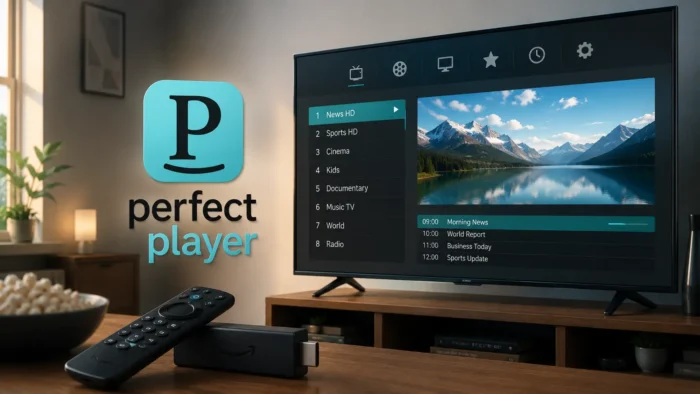
Perfect Player has been around for years and remains popular among experienced IPTV users.
What Makes Perfect Player Different?
- Lightweight performance
- Fast playlist handling
- Advanced customization
- Strong EPG support
The interface is not as modern as newer IPTV apps, but the app is extremely stable and resource-efficient.
Best For Advanced Users
Perfect Player is ideal for users who prefer performance over flashy design.
It also works well on lower-end Firestick devices because of its lightweight structure.
OTT Navigator
OTT Navigator is becoming increasingly popular among IPTV enthusiasts because of its customization options and advanced filtering features.
Main Features
- Advanced sorting tools
- Fast navigation
- Multi-screen support
- Picture-in-picture support
- Powerful search functionality
Users with large IPTV playlists often appreciate how well OTT Navigator organizes channels and categories.
Who Should Use OTT Navigator?
This app is best for users who enjoy tweaking settings and customizing their viewing experience.
Beginners may find it slightly overwhelming at first because of the number of available options.
VLC Media Player
Although VLC is not designed specifically for IPTV, it remains one of the most reliable media players available.
You can download VLC directly from the official VideoLAN VLC website.
Why VLC Is Useful
- Excellent playback stability
- Supports many stream formats
- Lightweight performance
- Works well for testing streams
Many IPTV users use VLC to test streams when troubleshooting playback issues.
How to Choose the Best IPTV App for Your Needs
Not every IPTV app is ideal for every user. The best choice depends on your priorities.
If You Want Simplicity
IPTV Smarters is usually the easiest app for beginners.
If You Want Maximum Performance
TiviMate and XCIPTV are often the fastest and smoothest.
If You Want Customization
OTT Navigator and Perfect Player offer deeper configuration options.
If You Have an Older Firestick
Lightweight apps like XCIPTV and Perfect Player may perform better.
Why Some IPTV Apps Buffer More Than Others
Many users assume buffering is always caused by the IPTV provider, but the app itself can also affect performance.
Heavier apps use more device memory and processing power. On older Firestick devices, this can lead to:
- Slow navigation
- Freezing
- Playback lag
- Longer loading times
Choosing an optimized IPTV app can reduce many of these issues.
Which IPTV App Is the Fastest on Firestick?
When it comes to pure speed and smoothness, TiviMate and XCIPTV are usually considered the fastest IPTV apps for Firestick devices.
These apps are optimized well and generally use fewer system resources compared to heavier IPTV applications.
Why Speed Matters
Firestick devices have limited hardware compared to modern streaming boxes or computers. Apps that use too much memory can slow down the entire device.
This often leads to:
- Freezing menus
- Slow channel loading
- Playback interruptions
- Delayed remote response
Lightweight IPTV apps usually perform much better over long-term use.
Best IPTV App for Beginners
If you are new to IPTV, IPTV Smarters is usually the easiest app to start with.
Why IPTV Smarters Is Beginner-Friendly
- Simple setup process
- Easy login methods
- Clean navigation
- Supports Xtream Codes and M3U playlists
Most IPTV providers already provide setup tutorials specifically for IPTV Smarters, which makes troubleshooting easier for new users.
Best IPTV App for Sports Streaming
Sports viewers usually need fast navigation, stable playback, and quick channel switching.
TiviMate is often considered one of the best options for live sports because of:
- Fast channel switching
- Smooth EPG browsing
- Reliable playback
- Easy favorites management
Sports users often switch channels quickly during live events, so responsive performance matters more than extra visual features.
Best IPTV App for Older Firestick Devices
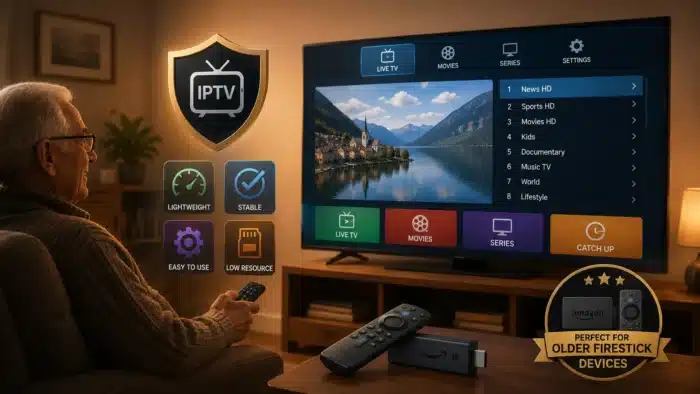
Older Firestick models can struggle with heavier IPTV applications.
If you use an older device, lightweight apps usually provide a smoother experience.
Recommended Lightweight IPTV Apps
- XCIPTV
- Perfect Player
- VLC Media Player
These apps use fewer resources and often perform better on slower hardware.
Are IPTV Apps Safe to Use?
Safety depends largely on where you download the app from and how you use it.
You should always download IPTV apps from official sources whenever possible.
- Official app stores
- Developer websites
- Trusted download sources
Avoid downloading modified APKs from unknown websites because they may contain malware or harmful software.
Amazon also provides information about app security and device safety through the official Amazon Fire TV support section.
Should You Use a VPN with IPTV Apps?
Many IPTV users choose to use a VPN while streaming. A VPN encrypts your internet connection and routes traffic through another server.
This can sometimes improve IPTV stability if your ISP interferes with streaming traffic.
Benefits of Using a VPN with IPTV
- Better privacy
- Reduced ISP throttling
- Potentially improved stability
- More secure public WiFi usage
The Electronic Frontier Foundation explains how ISPs can manage traffic, which may affect streaming performance.
Important VPN Note
A VPN is not always necessary. In some situations, a poor VPN connection can actually make buffering worse.
If you decide to use one, test multiple server locations and choose the fastest option.
How to Improve IPTV App Performance on Firestick
Even the best IPTV app can perform poorly if your Firestick is overloaded or poorly optimized.
Clear Cache Regularly
IPTV apps store temporary data that can build up over time.
- Go to Settings
- Select Applications
- Choose your IPTV app
- Click Clear Cache
Amazon explains this process further in the official Fire TV cache management guide.
Free Up Storage Space
Low storage can slow down IPTV apps significantly.
- Delete unused apps
- Remove old downloads
- Clear unnecessary files
Restart Your Firestick Occasionally
Restarting clears temporary memory usage and refreshes system processes.
Use Ethernet If Possible
WiFi instability can affect IPTV performance. A wired connection is usually more stable for streaming.
How to Install IPTV Apps on Firestick
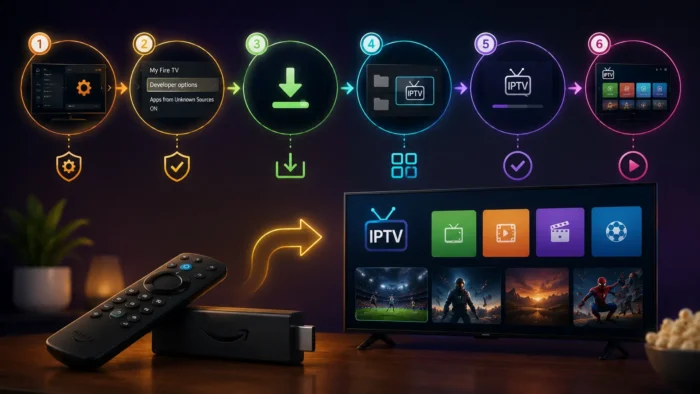
Some IPTV apps are available directly in the Amazon App Store, while others require sideloading.
Apps Available in Amazon App Store
- VLC Media Player
- Some IPTV players depending on region
Apps Often Installed Through APK Files
- TiviMate
- XCIPTV
- IPTV Smarters
Before sideloading apps, you may need to enable “Install Unknown Apps” in Firestick settings.
What to Look for Before Choosing an IPTV App
Before selecting an IPTV app, consider:
- Device compatibility
- Playlist support
- Xtream Codes support
- EPG support
- Playback stability
- Developer updates
Apps that receive regular updates are usually more stable over time.
Common IPTV App Problems
Buffering
Can be caused by internet instability, overloaded servers, or heavy apps.
App Crashes
Often related to low storage or outdated app versions.
Slow Navigation
Usually happens with large playlists or weak device performance.
Playback Errors
May be caused by unsupported codecs or stream issues.
Why Many Users Prefer Firestick for IPTV
Firestick remains one of the most popular IPTV devices because it is:
- Affordable
- Portable
- Easy to use
- Compatible with many IPTV apps
The Fire TV ecosystem also continues to receive updates from Amazon, improving compatibility and performance over time.
Can IPTV Apps Affect Streaming Quality?
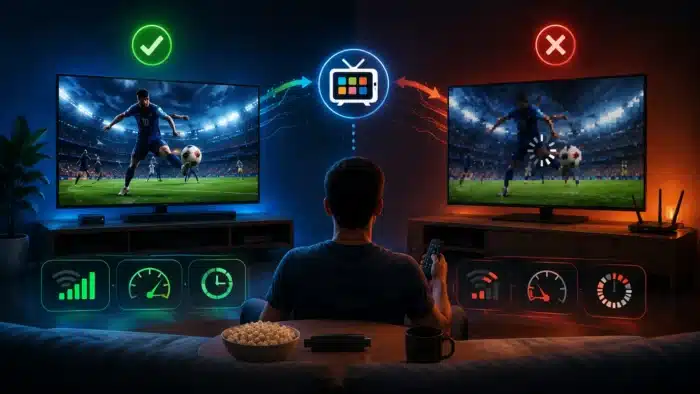
Yes. IPTV apps can absolutely affect stream quality and stability.
A poorly optimized app may:
- Buffer more often
- Use too much memory
- Load channels slowly
- Crash frequently
Choosing a stable IPTV player often improves streaming performance immediately.
Best IPTV App Overall for Firestick
For most users, TiviMate remains one of the strongest overall choices because it balances:
- Speed
- Stability
- Interface quality
- EPG support
- Playback performance
However, the best IPTV app still depends on your personal preferences and device setup.
Final Thoughts
The IPTV app you choose can significantly affect your streaming experience on Firestick. Even with a strong IPTV provider, a poor app can still cause buffering, freezing, crashes, and navigation problems.
TiviMate, IPTV Smarters, XCIPTV, Perfect Player, OTT Navigator, and VLC are all strong choices depending on your needs and device performance.
If you want the best overall experience, focus on:
- Stable playback
- Fast navigation
- Regular app updates
- Good compatibility with your IPTV service
Once you find the right IPTV app and optimize your Firestick properly, streaming becomes much smoother and more enjoyable.
FAQ
What is the best IPTV app for Firestick?
TiviMate is widely considered one of the best IPTV apps because of its speed, interface, and stability.
Which IPTV app is easiest for beginners?
IPTV Smarters is usually the easiest option for beginners because of its simple setup process.
Can IPTV apps cause buffering?
Yes. Heavy or poorly optimized apps can increase buffering and slow down streaming performance.
Do IPTV apps work on all Firestick devices?
Most IPTV apps work on all Firestick models, but lighter apps usually perform better on older devices.
Should I use a VPN with IPTV apps?
A VPN can improve privacy and help bypass ISP restrictions, but it may not be necessary for every user.
What is the lightest IPTV app for Firestick?
Perfect Player and XCIPTV are often considered lightweight and fast options for older Firestick devices.

No comments yet